Saw a recipe? Save it in one tap and actually cook it
Share from any app, cook step by step, plan the week and shop from one list.
Download on the App Store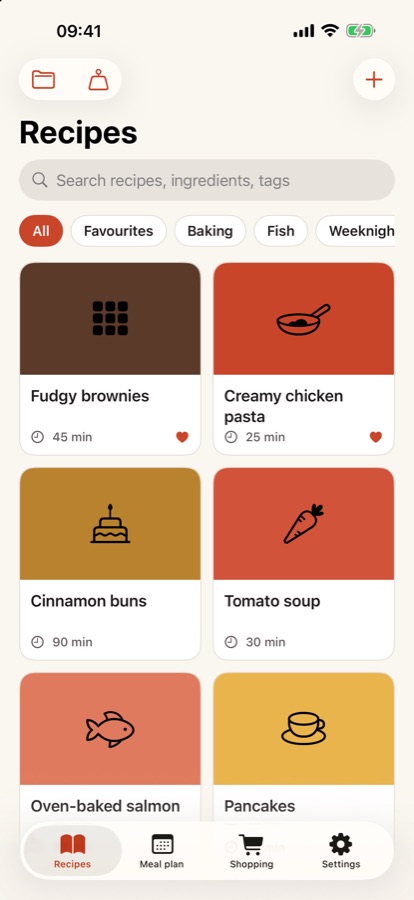
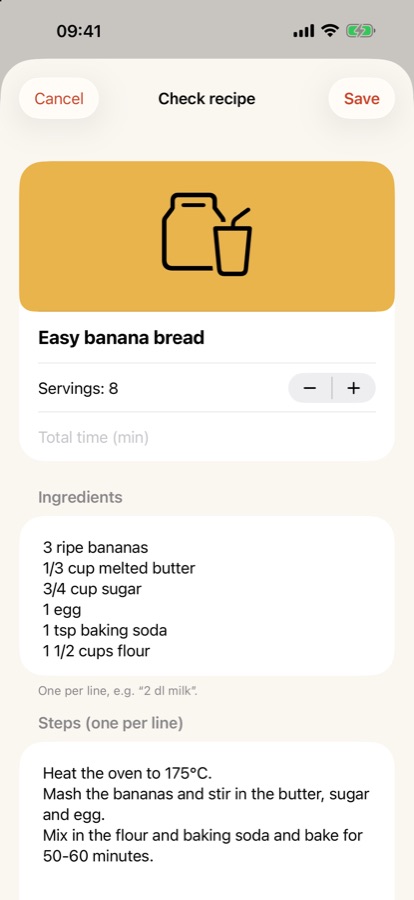
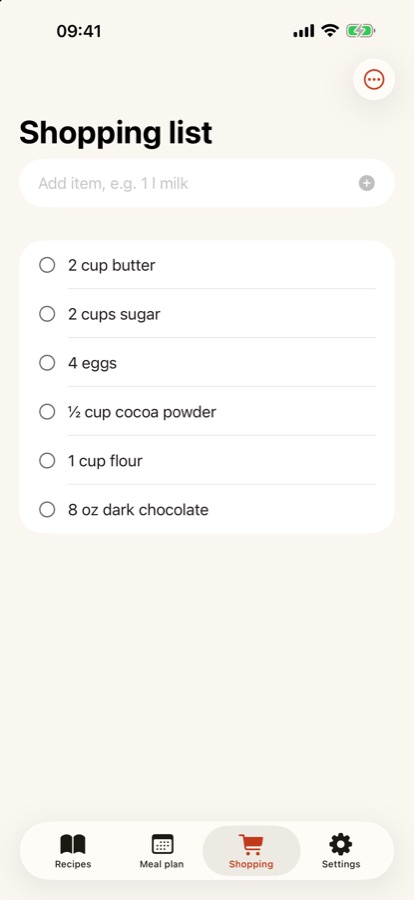
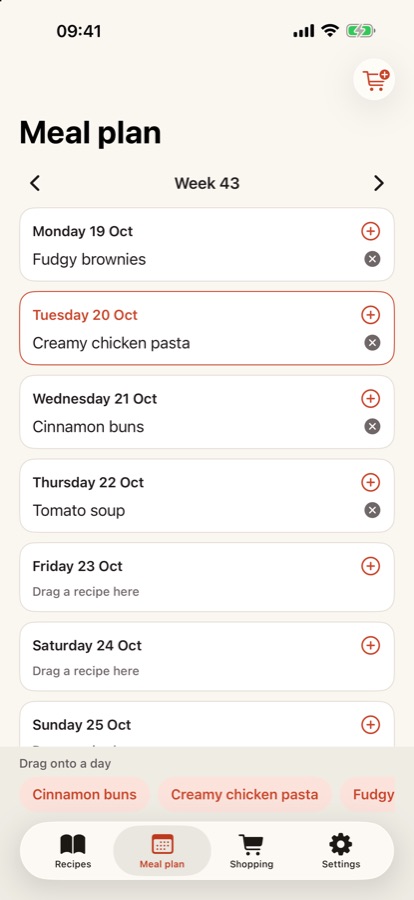
Recipe Saver is for anyone whose recipes are scattered across Instagram saves, TikTok favourites, screenshots and browser tabs. When it's time to cook, the one you want is buried – or it's a video you have to pause every few seconds.
Tap Share in any app and pick Recipe Saver. Links to recipe websites are read automatically: title, ingredients, steps, time, servings and photo. From social media the app uses the caption you share or paste, and with Pro it can read a screenshot. You always check the recipe before it's saved, and the source link stays with it.
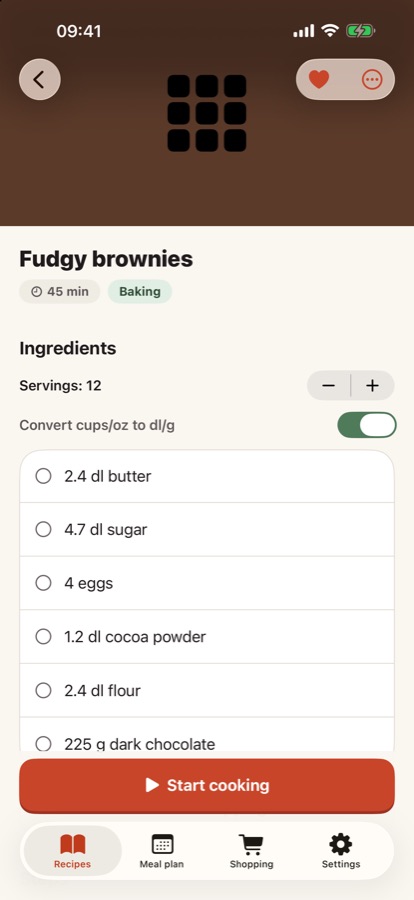
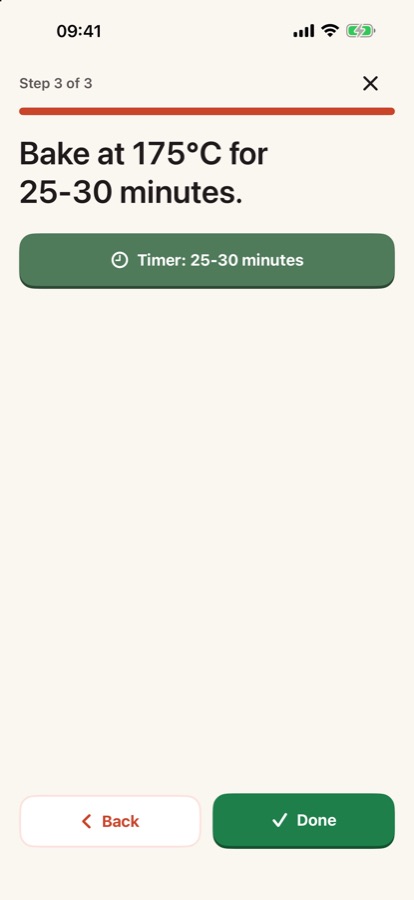
Cooking mode shows one step at a time in big text and keeps the screen on. Times in the text become timers with one tap. Servings scale up and down, and US cups and ounces convert to millilitres, decilitres and grams. The shopping list merges duplicates, so 2 dl plus 1 dl of milk becomes 3 dl.
The app grew up in the Nordics: it reads recipes in English, Swedish, Norwegian, Danish and Finnish, and for Christmas 2026 it adds a holiday menu for St Lucia, Christmas Eve and New Year's Eve with 23 Scandinavian dishes to start from – free for everyone.
What the app does
Save from any app
Share from Safari, Instagram, TikTok, Pinterest or YouTube. Recipe sites are read automatically; for social posts the shared or pasted caption is used.
Screenshot to recipe (Pro)
Text in a screenshot is read on the phone and split into ingredients and steps you check before saving.
Cooking mode
Big text, one step at a time, screen stays on, and timers start from the text with one tap.
Scale and convert
Scale servings and convert cups and ounces to dl and grams.
Shopping list
Duplicates merge. Share the list or export it to Reminders.
Weekly meal plan (Pro)
Drag recipes onto days and send the whole week to the shopping list.
Holiday menu
St Lucia, Christmas Eve and New Year's Eve, scaled to your guests with a cooking-day timeline. Free for everyone.
Articles
Does meal planning actually work? What the research says about diet, money and food waste
A 40,000-person study linked meal planning to more varied diets. Swedish data puts household food waste at SEK 1,330 per person. What planning can and can't do.
How long do leftovers last in the fridge? UK guidance vs the Nordic food agencies
The FSA says eat fridge leftovers within 48 hours; Norway allows 2–4 days; Sweden gives no number. What each agency says, and the habits that matter more.
A Scandinavian Christmas table, explained: what's on it in Sweden, Norway, Denmark and Finland – and when to make it
Julbord, ribbe, risalamande and joulupöytä: the classic Christmas Eve dishes of each Nordic country, what can be made days ahead and how to keep it safe.
Frequently asked questions
Can I save recipes from TikTok and Instagram?
Yes. Tap Share and choose Recipe Saver. The app never logs in to social networks and does not download videos; it uses the caption you share or paste, or a screenshot with Pro.
How much does it cost?
It's free to download. Without Pro you can save up to 15 recipes and use cooking mode, the shopping list and the holiday menu. Pro adds unlimited recipes, screenshot reading, smart import, the meal plan and collections, as a yearly subscription (£12.99 in the UK) or a one-time purchase.
Do I need an account?
No. There is no account and no ads, and your recipes stay on your phone.
Does it work with metric and US recipes?
Yes. It converts US cups and ounces to decilitres and grams and understands Nordic units such as dl, msk, tsk, ss and spsk.
What is smart import?
On iPhones with Apple Intelligence turned on, the app uses Apple's on-device language model to split free text into ingredients and steps. On other devices it uses its own rule-based parser. Either way you can edit everything before saving.

Share from any app, cook step by step, plan the week and shop from one list.
Download on the App Store